
 LiveFreeNo Plex Pass needed
Plex Amp
A music player for Plex that anyone can use. Sign in with your own Plex account and stream your music right from your phone, from Dan's server, your own, or as many servers as you want at once.

A look inside
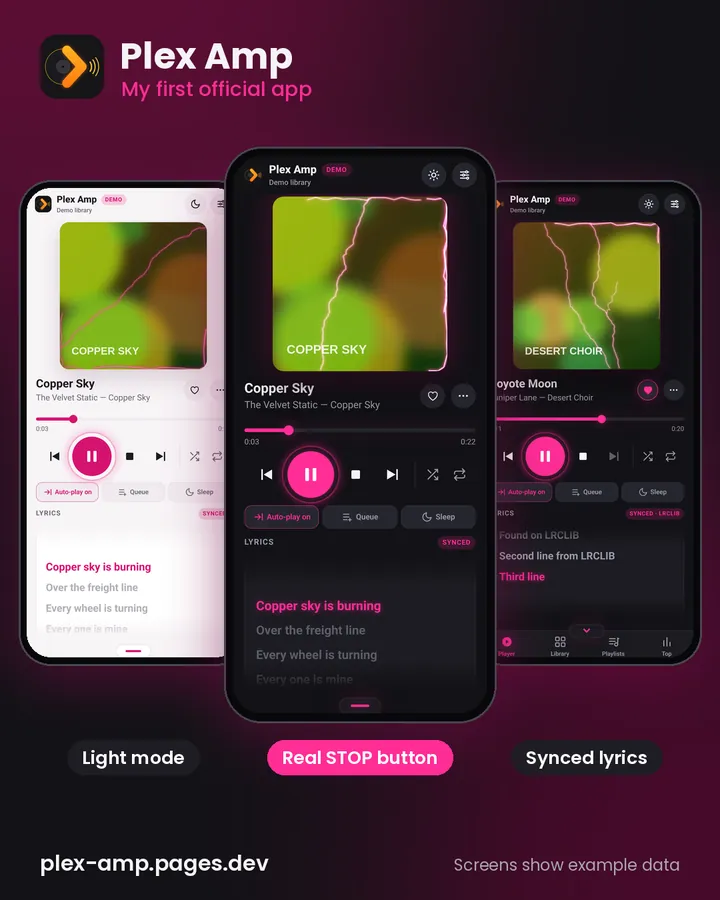
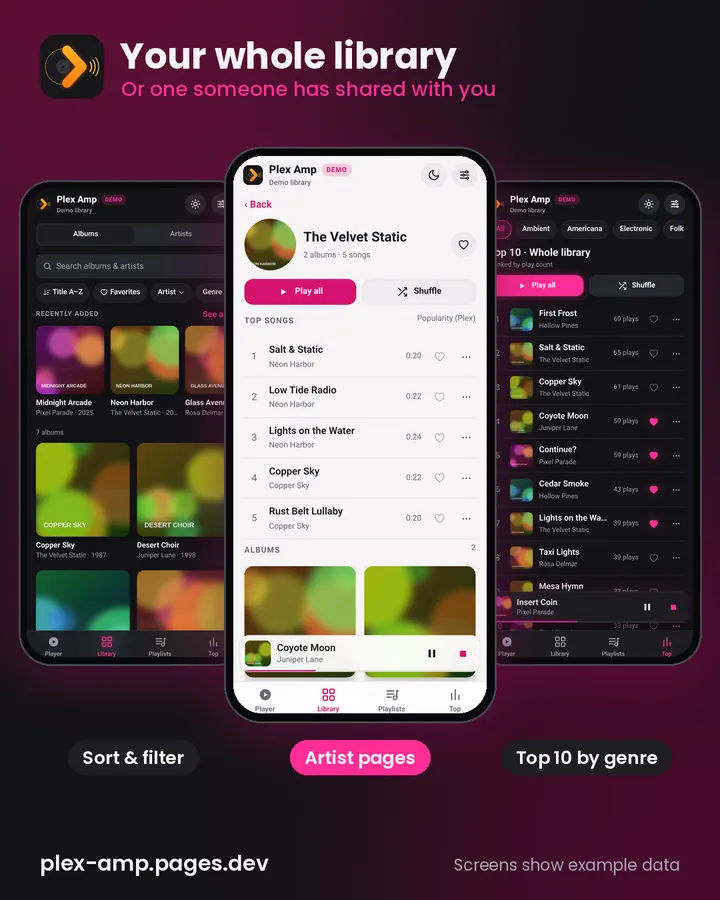
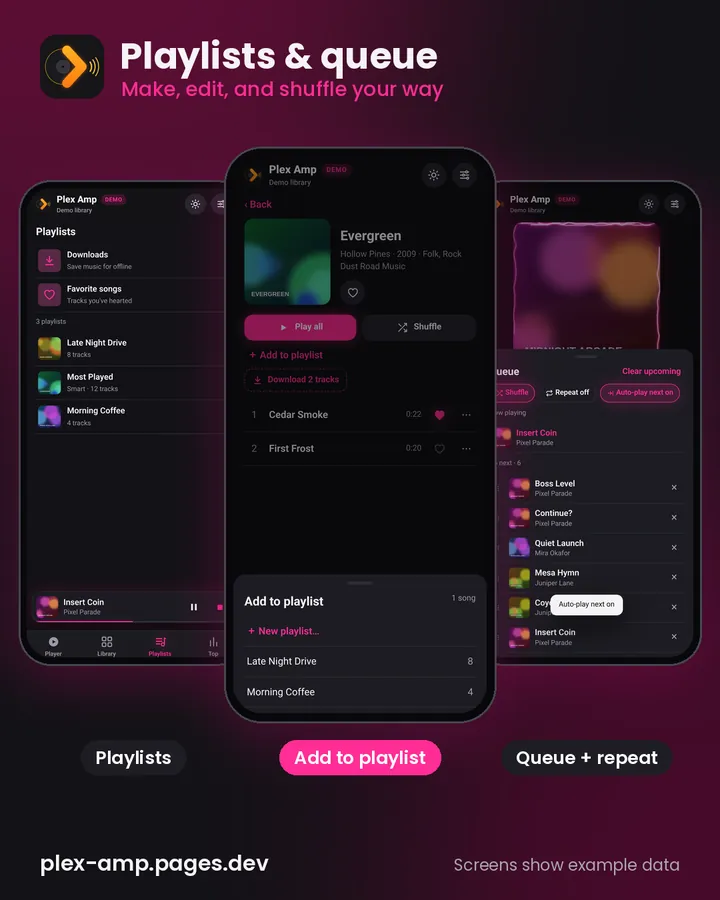
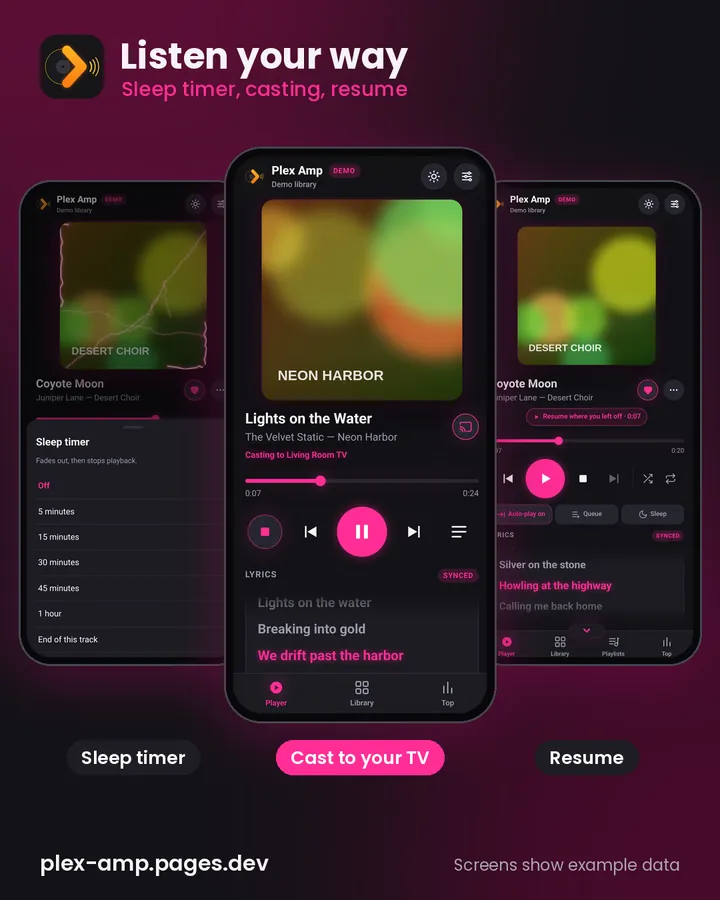
Screenshots show example data. Swipe or scroll sideways for more.
Some of the cool stuff
- ⏹️ A real Stop buttonNot just pause.
- 🎤 Lyrics that scrollThey move along with the song.
- 🖼️ Missing album artFilled in automatically.
- 📚 Browse your wayAlbums and artists, sort and filter, plus Top 10 by genre.
- 📝 Playlists and queueMake and edit playlists, favorite songs, build your queue, shuffle and repeat.
- 😴 Sleep timerFades out and stops.
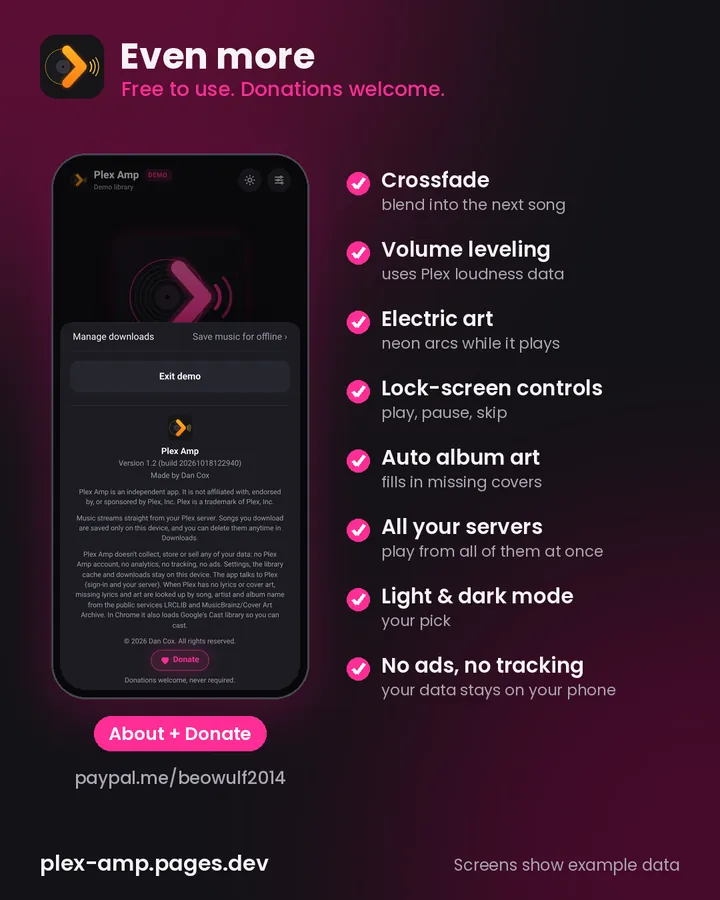
- 🔀 Crossfade and volume levelingBoth in Settings under Playback.
- 📺 CastTo your TV or speakers (in Chrome).
- ⏯️ ResumePicks up right where you left off.
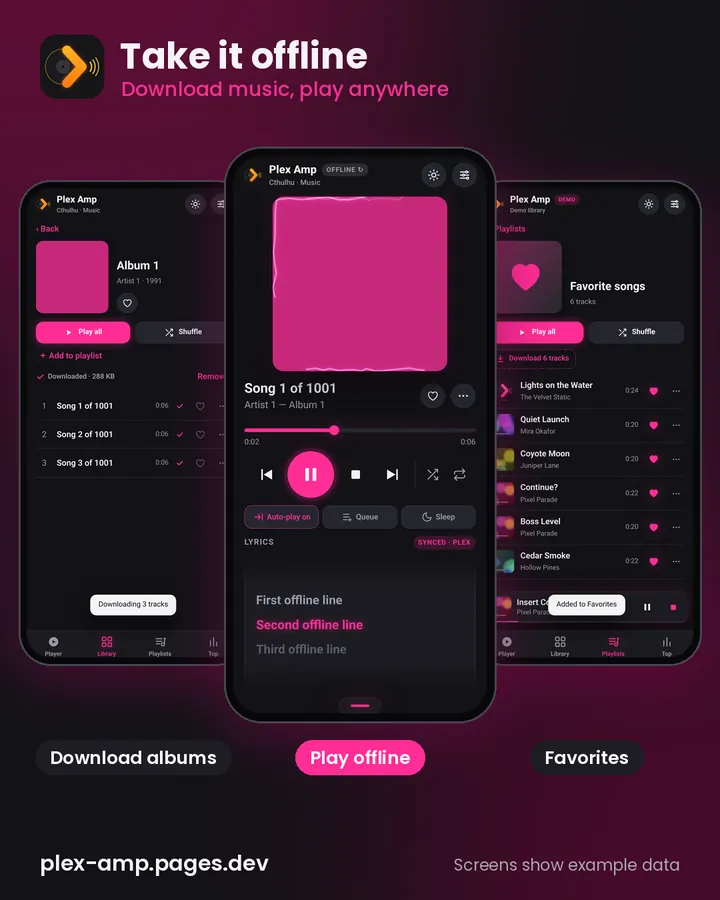
- 📥 OfflineDownload music and play it offline.
- ⚡ AnimationsLike neon electric arcs over the album art while a song plays.
- 🌗 Dark and light modeYour pick.
- 🔒 No ads, no trackingAnd no Plex Pass. Just sign in with your Plex account.
Fresh blood
New October 2026 release
- 🎛️ Pick your serversTap the server name at the top and check exactly which music servers to combine, or check All servers.
- 🎵 Music servers onlyServers without a music library are tucked away under "Other servers (no music)" so things stay fast. Settings → Servers has a Rescan servers button.
- 📥 Downloads everywhereYour downloaded songs show up no matter which servers you're viewing.
- ➕ New playlist buttonTap + New playlist on the Playlists tab, name it, then add your first songs with search.
- ✨ Optional mascot (18+, off by default)Turn it on in Settings → Mascot after confirming you're 18+. She pops up on empty screens, sign-in and About, never over the controls. There's also a Mascot option for albums with no artwork (Classic is the default).
- 🖥️ Full screen fixNo more "exit full screen" pop-up on every tap.
- 🔤 Playlist sortingSort an open playlist by Artist, Album, Title or the playlist's own Order. Playlists open sorted by Artist.
- ↩️ Back to where you wereGoing back from an artist (or their album) returns you to the same spot in the artist list.
- ⬇️ Easier pop-upsSheets like Queue and Settings now close by tapping the handle, swiping down, tapping outside, or pressing Back.
Earlier updates
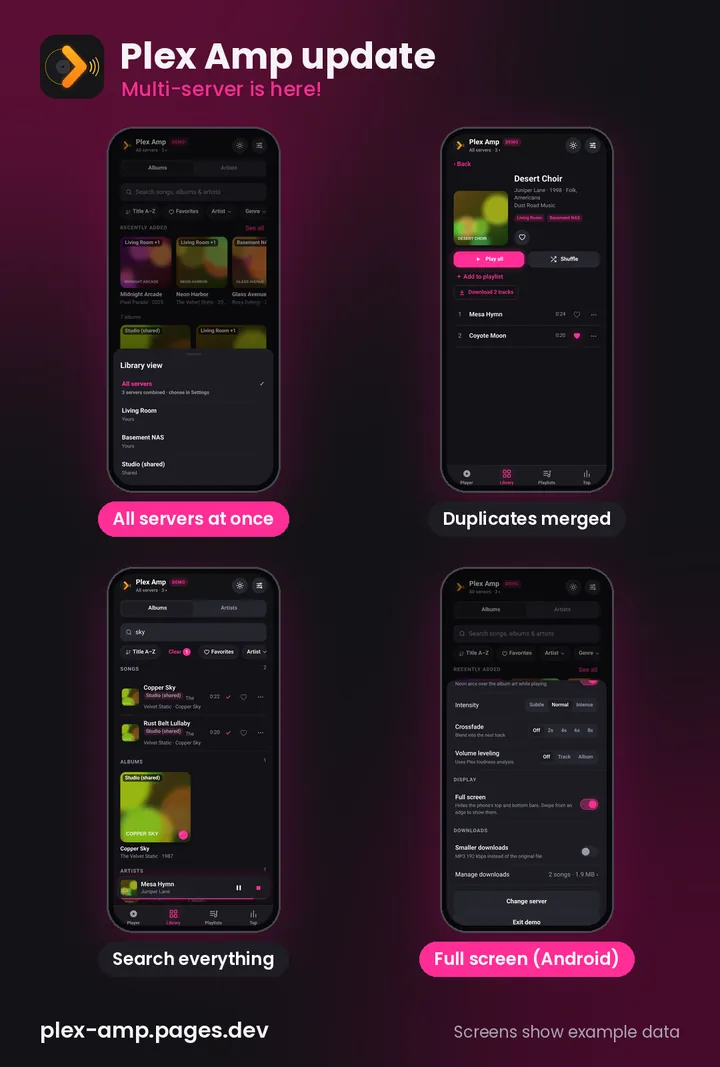
- 🌐 All servers at oncePick "All servers" and your library, playlists and favorites from every server show up together. You can still switch to just one.
- 🔁 No doublesIf the same album is on more than one server, it only shows once, with tags showing where it lives.
- 🔎 SearchFind songs, albums and artists from the search bar in the Library.
- 📱 Full screen (Android)Turn it on in Settings under Display to hide your phone's top and bottom bars.
- ⏯️ Resume where you left offReopen the app and pick up the same song at the same spot.
- 😴 Sleep timerTap Sleep in the player and choose 5 to 60 minutes or the end of the song.
- 🎤 Missing lyrics and artFilled in from free public sources only when Plex has none, and labeled with where they came from.
- 🎸 Artist pagesPlay and Shuffle buttons, top 10 songs with Show more, then the albums.
- 📝 PlaylistsAdd songs or albums from the ⋯ menu, make new playlists, rename, reorder, remove songs or delete playlists.
- 🔀 Shuffle and play buttonShuffle next to repeat, and an animated play button.
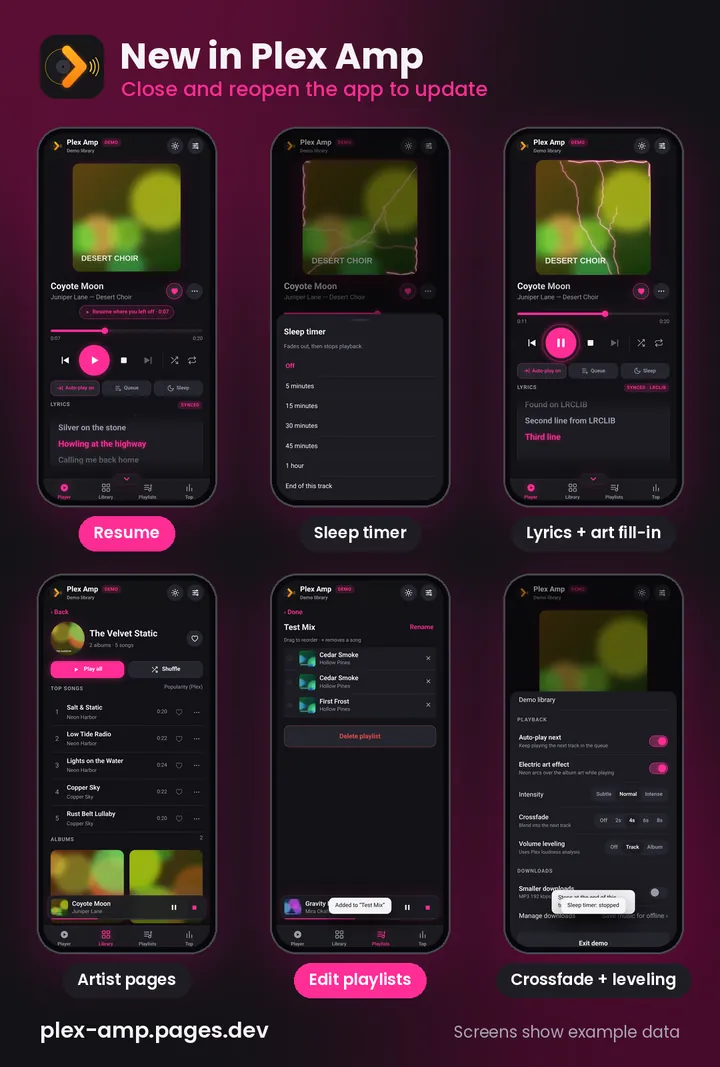
Close and reopen the app to get the latest. Screenshots show example data.
What's next
More on the way. Got an idea? Email me.
No app store needed
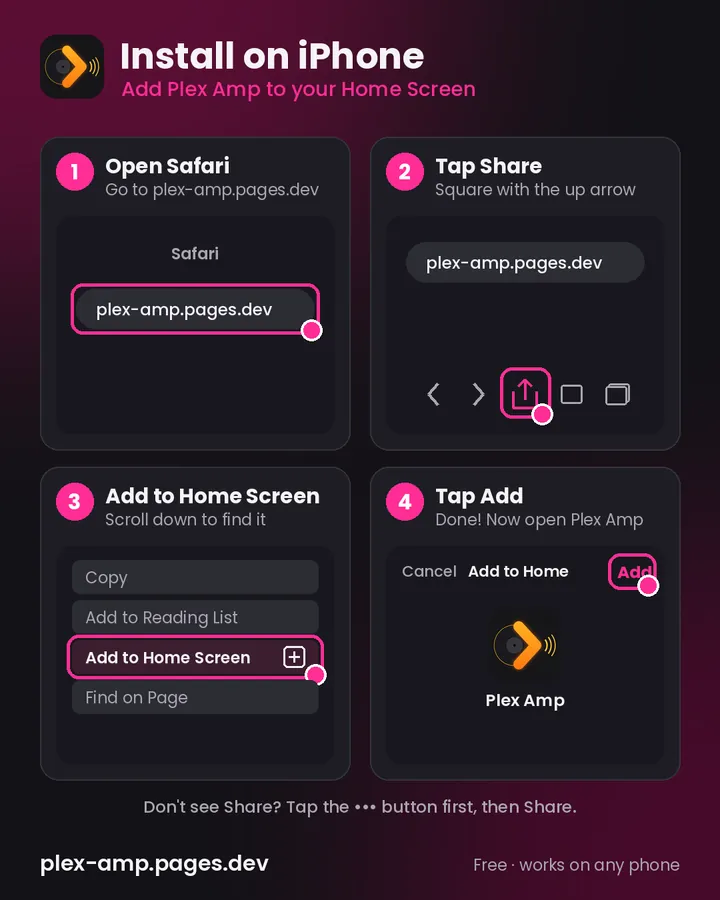
iPhone
- Open Safari and go to plex-amp.pages.dev
- Tap Share
- Tap Add to Home Screen
- Tap Add
- Open it and tap Sign in with Plex
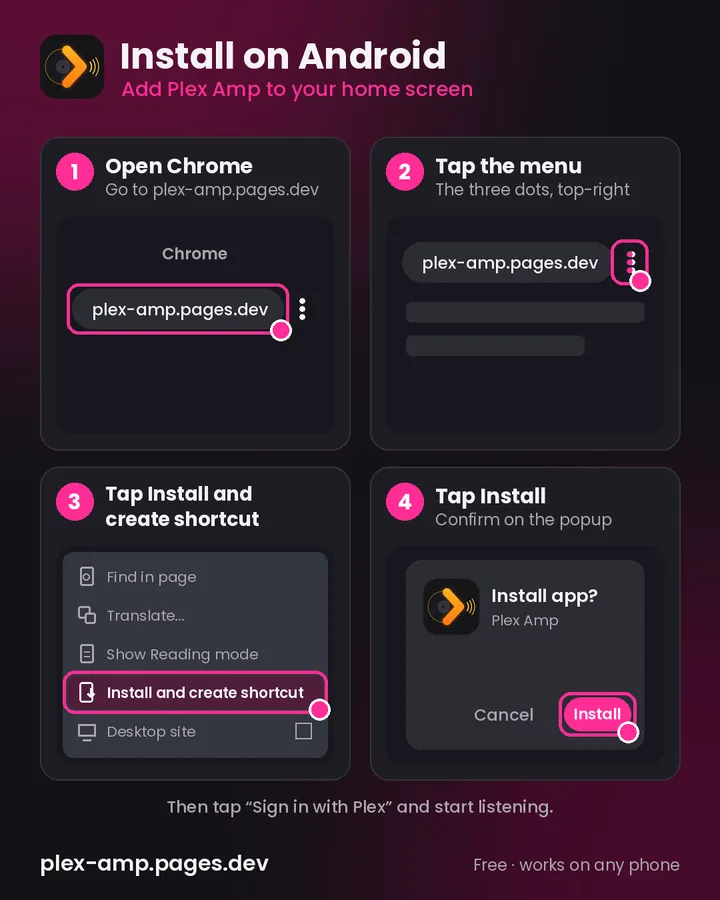
Android
- Open Chrome and go to plex-amp.pages.dev
- Tap the ⋮ menu
- Tap Install and create shortcut
- Tap Install
- Open it and tap Sign in with Plex
Questions from the crypt
Do I need a Plex Pass?
No. Just sign in with your own Plex account.
Do I need my own Plex server?
No. If you have your own Plex server, or access to Dan's, you can stream your music right from your phone.
Can I use more than one server?
Yes. Connect as many servers as you want and play from all of them at once. Tap the server name at the top to choose exactly which ones, or check All servers.
Does it cost anything?
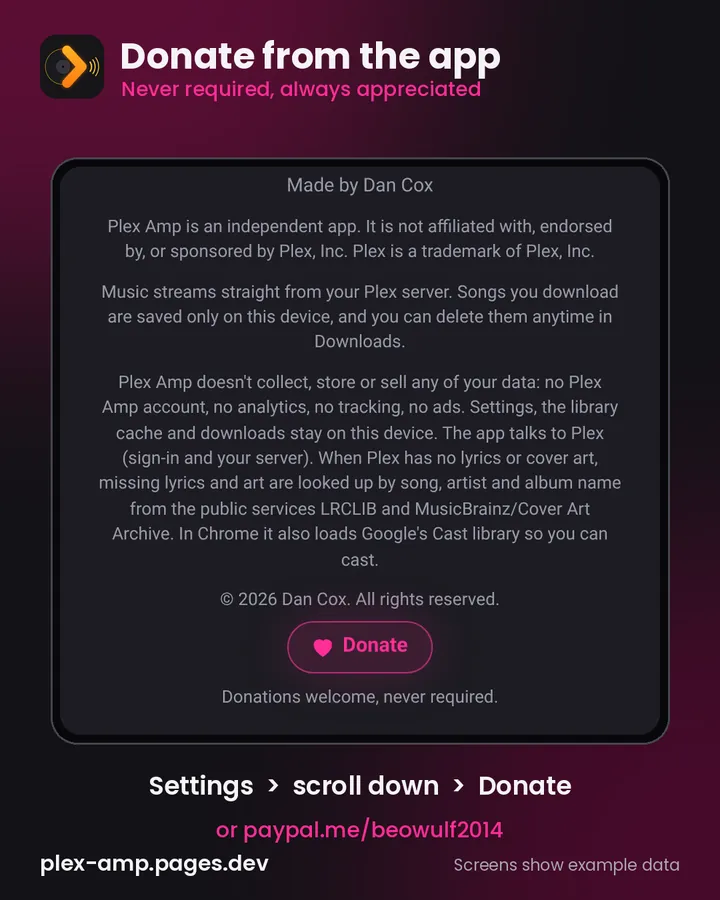
It's free to use. If you'd like to help cover what it costs to build, tap Donate in the app (open Settings and scroll to the bottom) or use PayPal. Never required, always appreciated ❤️
Are there ads or tracking?
No ads and no tracking.
Can I listen offline?
Yes. Download music and play it offline.
How do I get the newest features?
Close and reopen the app.
Can I suggest a feature?
Yes, please. Dan adds new features as he comes up with them, so send him your ideas.

Ready to listen?
Open it in your browser, add it to your home screen, and sign in with Plex.
Open Plex Amp ↗ ♥ Donate ← All apps